Blog

  • elastic-alexa

    Elasticsearch Alexa skill

    Skill for Amazon echo to enable Alexa to talk to Elasticsearch.

    Current possible interaction

    Configured IntentSchema:

    ElasticCount Count {emptyTerm|term}
    

    Explanation:

    1. Search for term in elasticsearch and count result set

    Example:

    Alexa? Ask Elastic to count error
    

    is transformed to skill (intent) and variable configuration (slots):

    intent=ElasticSearch
    slot(term)=error
    

    Note: Data type number can be translated from five to 5 directly.

    Java application called by alexa

    Amazon provided a nice SDK and a nice way to interact with alexa. After registering your skill to amazon developer console, your endpoint get called with relevant payload. I decided to use a spring boot application handling these requests. Java code is in src, relevant business logic is included in

    src/main/java/info/unterstein/alexa/elastic/alexa/ElasticSpeechlet.java
    

    Get this app up and running

    Currently you need to configure the target ElasticSearch cluster within code. This should be changed to be configured during installing this skill to amazon echo, see section Option issues. But, for now, you need to go to

    src/main/java/info/unterstein/alexa/elastic/ElasticSpeechlet.java
    

    and do something like:

      // TODO
      public ElasticSpeechlet.java() {
        client = new ElasticSearchClient("your.elastic.url", 9300, "your.cluster.name");
      }
    

    Then you need to package this app and start it somewhere:

    mvn clean package
    # deploy it somewhere with following command
    java -jar elastic-alexa-0.0.1-SNAPSHOT.jar --server.port=19002
    

    Walkthrough amazon developer console

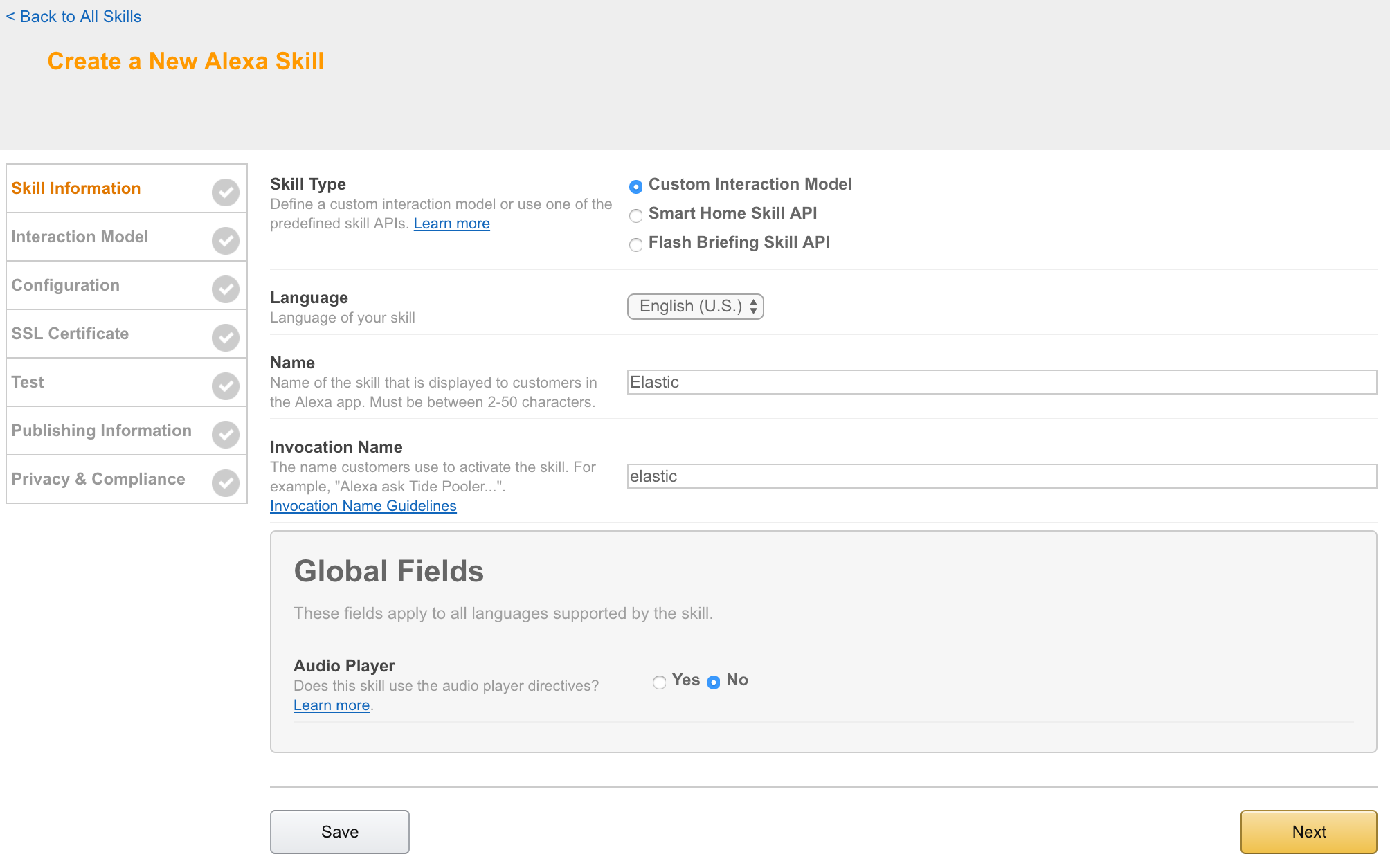
    Step 1: Skill information

    alt text

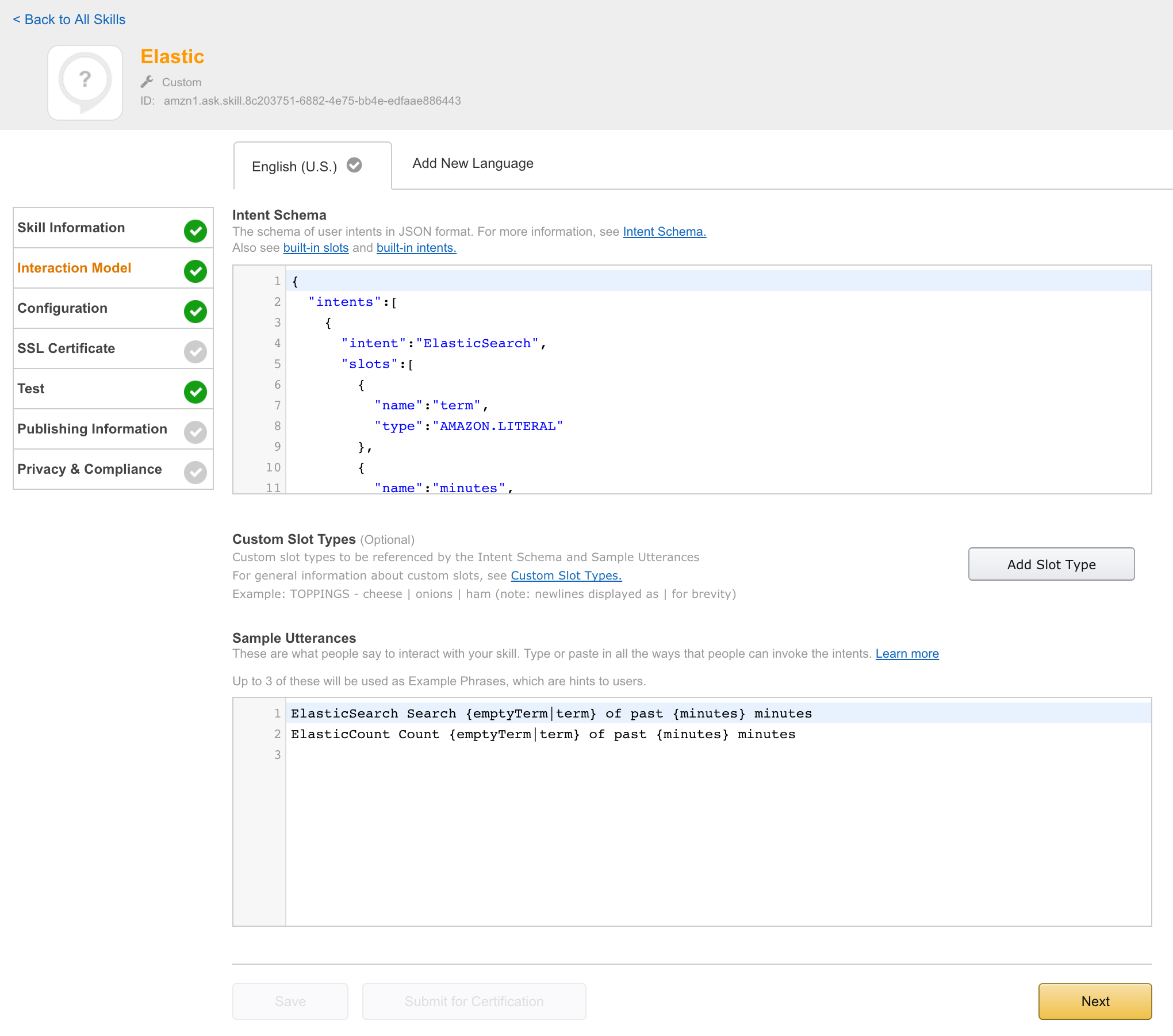
    Step 2: Interaction model

    alt text

    Text entered:

    speechAssets/IntentSchema.json
    speechAssets/SampleUtterances.txt
    

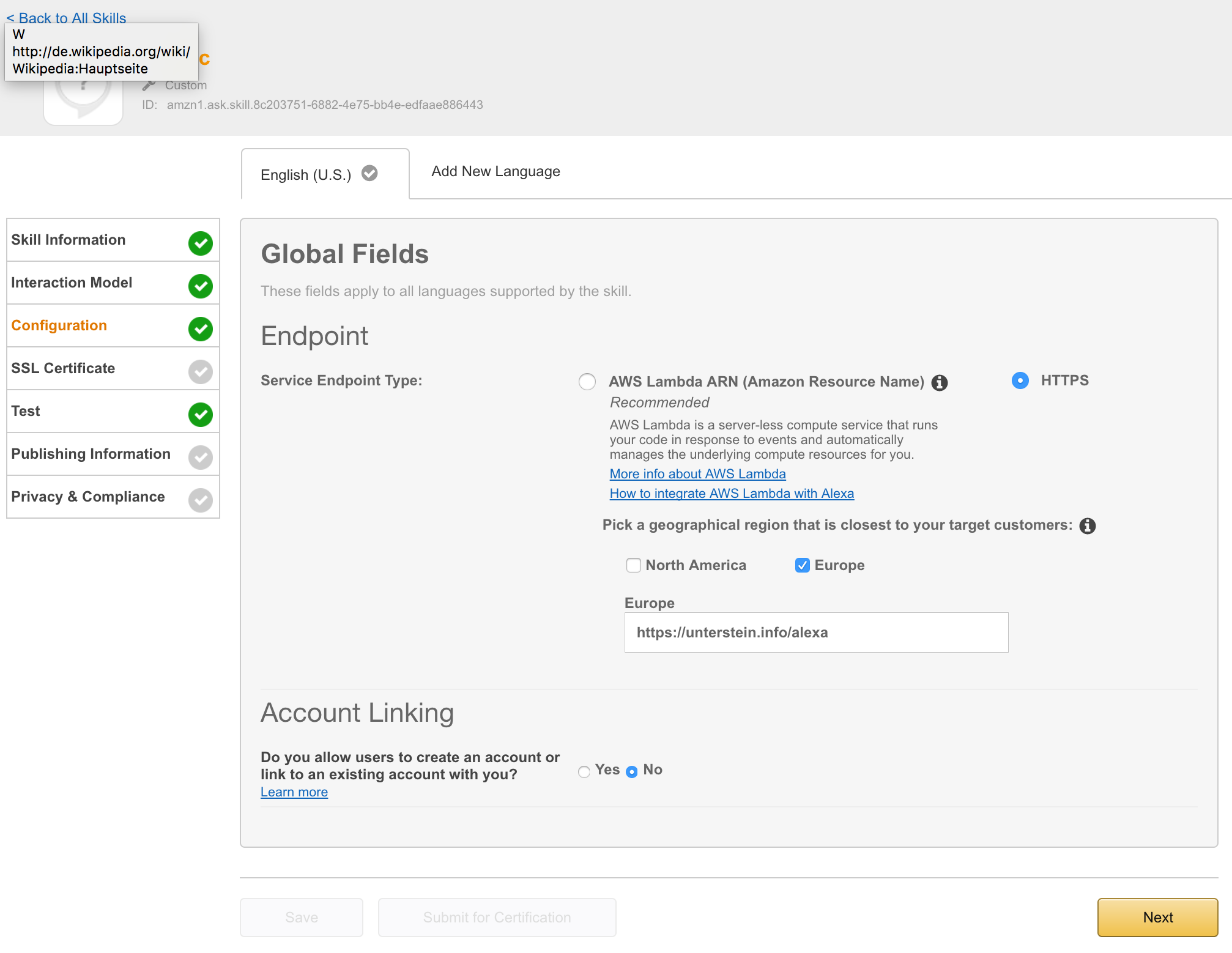
    Step 3: Configuration

    alt text

    I needed an http endpoint with valid ssl certificate. You can choose between onprem installation or AWS lamba. I decided to deployed the app directly to my server, proxied behind NGINX using the following configuration:

    server {
            listen 443 ssl;
            server_name unterstein.info;
    
    ...
    
            ssl_certificate      /etc/nginx/ssl/unterstein.info.crt;
            ssl_certificate_key  /etc/nginx/ssl/unterstein.info.key;
    
    ...
    
            location /alexa {
                    proxy_pass http://127.0.0.1:19002/alexa;
                    proxy_set_header Host $host;
                    proxy_set_header X-Real-IP $remote_addr;
                    proxy_set_header X-Forwarded-For $proxy_add_x_forwarded_for;
            }
    }


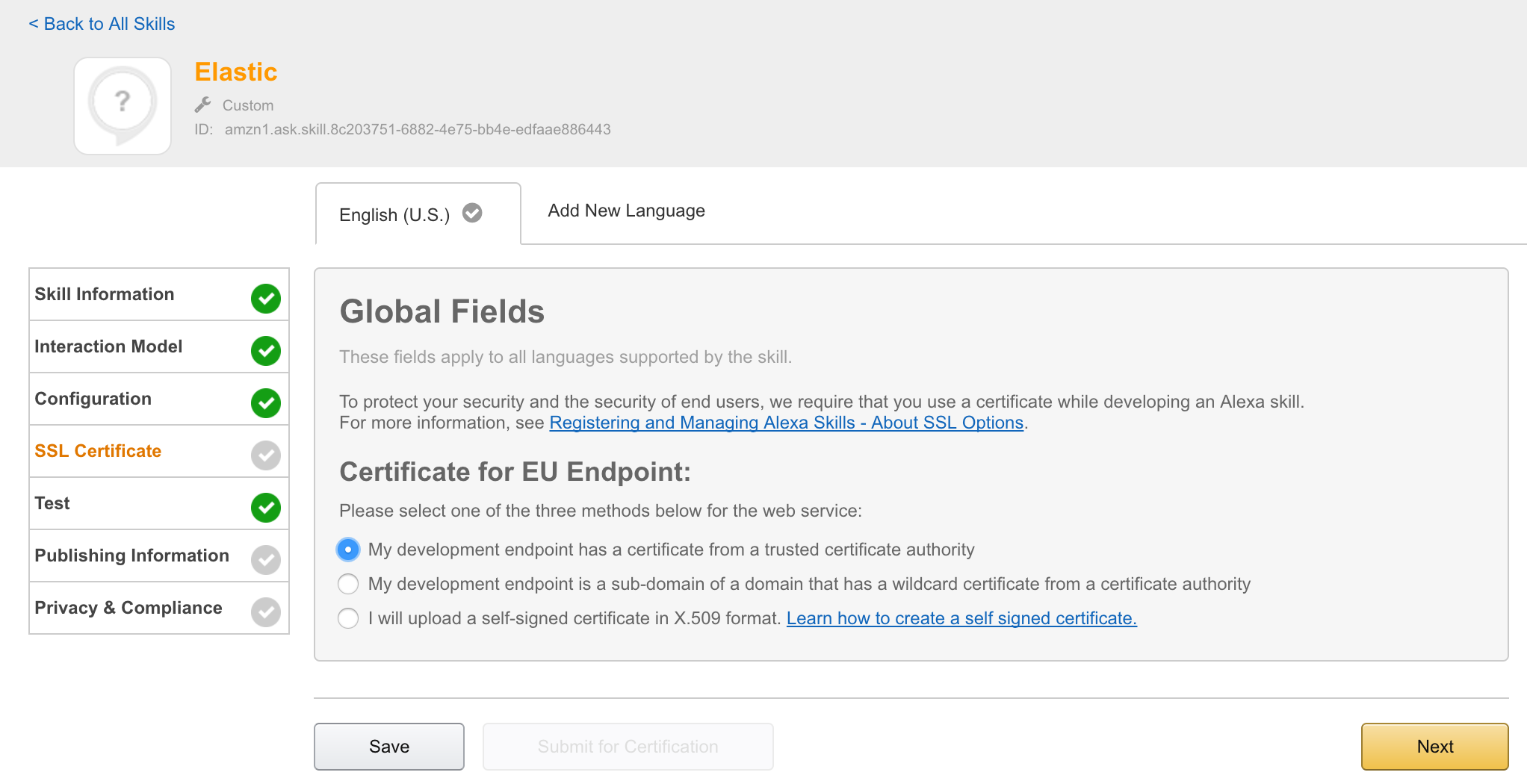
    Step 4: SSL Certificate

    alt text

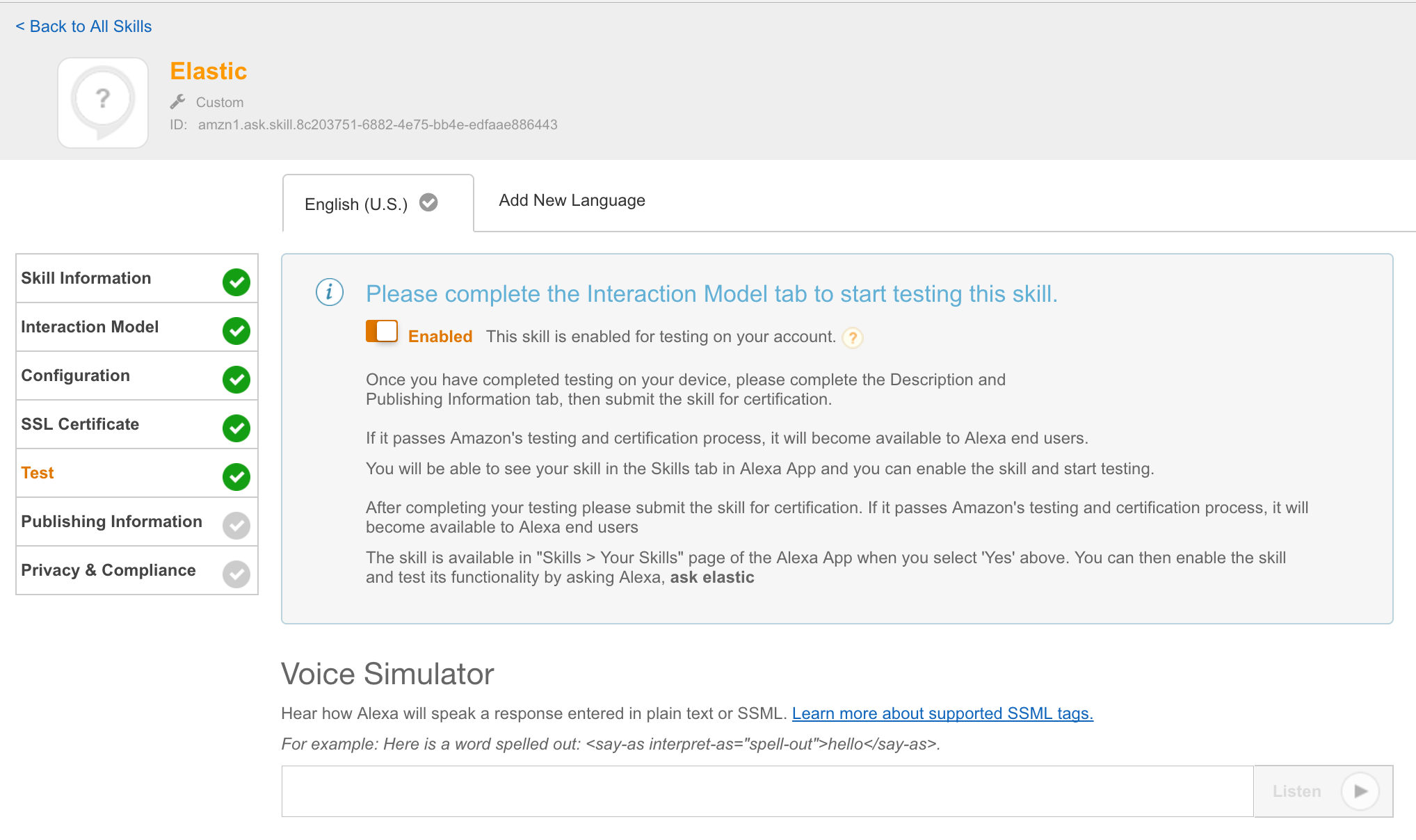
    Step 5: Test

    alt text

    At this point it is possible to enable this skill for all amazon echos, registered to the current amazon account and can be used directly.

    Short demo video

    https://twitter.com/unterstein/status/832302202702196736

    Useful reads

    Open issues

    Visit original content creator repository
  • OTP-Raspberry-Pi

    Generatore chiavi casuali

    È stato pensato per monitorare i dati ambientali attraverso una raspberry ed introdurre l’entropia sufficiente nel programma.

    Quello che viene eseguito è un ciclo infinito per incrementare una variabile in un range fissato e leggere lo stato della variabile
    quando si verificano le condizioni ambientali stocastiche come piccole variazioni della pressione atmosferica.

    Viene cosi prodotta una sequenza casuale, dimostrabile attraverso l’istogramma delle frequenze si osservano solo distribuzioni uniformi sulle chiavi generate.

    One-Time-Pad

    È il tentativo di implementare un cifrario a flusso di tipo OTP attraverso il fix delle falle crittografiche del noto RC4, cercando di far coesistere la sicurezza dei cifrari OTP alla praticità dei cifrari più moderni come AES.

    Un cifrario OTP è un cifrario perfetto perchè è matematicamente sicuro.

    L’idea di base è quella di usare il cifrario Vigenere, insicuro di per sè, ed imporre particolari condizioni sulle chiavi per creare un nuovo cifrario, di tipo OTP, chiamato Vernam.

    Le condizioni sono:

    1. chiave crittografica lunga quanto il testo in chiaro
    2. casualità della chiave
    3. ad ogni testo in chiaro da cifrare deve corrispondere una chiave diversa (One Time Pad)

    Il cifrario cosi definito resiste anche al bruteforce delle chiavi con potenza di calcolo infinita, perchè implementa il concetto di crittografia negabile, in quanto nel processo di crittoanalisi si estrarrebbero tutti i possibili testi di senso compiuto e non si potrebbe dire quale messaggio sia stato veramente scambiato.

    sincVernam.py

    In sincVernam.py non si usa la matrice di Vigenere per la codifica ma l’operatore XOR per estendere l’alfabeto a tutti i char.

    Essendo il cifrario Vernam di difficile implementazione per l’onerosa gestione delle chiavi, si cerca di adottare dei compromessi.

    Il processo di crittografia è il seguente:

    1. richiesta di una password
    2. generazione dell’hash crittografico della password da usare come seed
    3. inizializzazione di un generatore di numeri peseudocasuali crittograficamente sicuro usando l’hash precedente come seed
    4. generare una sequenza di numeri pseudocasuali ma crittograficamente sicura da usare come chiave crittografica
    5. eseguire lo XOR tra testo in chiaro e chiave crittografica
    6. incrementare un contatore da appendere alla password iniziale per generare chiavi crittografiche sempre diverse
    7. iterare i passaggi precedenti su messaggi in chiaro nuovi

    Vengono quindi soddisfatte tutte le condizioni del cifrario Vernam:

    1. la prima implementando un generatore che garantisce la lunghezza della chiave con il minimo sforzo
    2. la casualità non c’è per consentire di ricavare le chiavi crittografiche a partire da una password, ci si avvicina alla sicurezza OTP per l’uso di un generatore pseudocasuale crittograficamente sicuro
    3. per ogni nuovo messaggio in chiaro viene derivata una nuova chiave crittografica impossibile da ricavare senza conoscere la password iniziale

    Inoltre viene calcolato un hash di integrità del messaggio ed appeso al testo cifrato.

    Si potrebbe anche appendere alla fine del testo cifrato il contatore per garantire la sincronia e poter correggere errori di sincronizzazione nel caso in cui qualche messaggio venga perso. Il valore di questo contatore può essere pubblico svolgendo il ruolo logico di salt crittografico per la derivazione di nuove password.

    Viene anche impostato un tempo di delay casuale di elaborazione dentro alle varie funzioni per mitigare attacchi di timing ed è aggiunto al messaggio in chiaro un timestamp con data e ora della cifratura per mitigare gli attacchi di replica.

    Crittoanalisi

    1. L’unica crittoanalisi nota è sulla password, punto in cui il cifrario è più vulnerabile ad attacchi di bruteforce per esempio, ritenuti mitigabili però attraverso la forza della password scelta come per altri cifrari ritenuti sicuri come AES. Si consiglia di usare il cifrario all’interno di adeguati standard e protocolli sulla gestione delle password.

    2. La crittografia negabile si ottiene trasformando il cifrario a flusso in un cifrario a blocchi che contengano un numero di char in chiaro uguali a quelli del digest dell’algoritmo di hashing crittografico usato, come per esempio sha512, e la derivazione di nuovi hash per ogni blocco di testo in chiaro.

    OTP.py

    Il programma riprende la versione fixata di sincVernam.py ed aggiunge la possibilità di usare, oltre ad una password, un file di dati casuali come chiave crittografica, bypassando a derivazione delle chiavi generate con un generatore pseudocasuale.

    La generazione di chiavi pseudocasuali subentra nel momento in cui viene esaurito il file usato come chiave crittografica, perchè ad ogni byte di messaggio cifrato o decifrato corrisponde una riduzione di un byte del file chiave tramite il suo troncamento, evitandone il reimpiego e garantendo la sicurezza OTP.

    L’uso sicuro richiede lo sviluppo di un protocollo ed un framework all’interno del quale avviene la gestione delle chiavi casuali e della sincronizzazione delle comunicazioni.

    Visit original content creator repository

  • integrationapp-hubspot-example

    Nextjs + Integration app + Hubspot Example

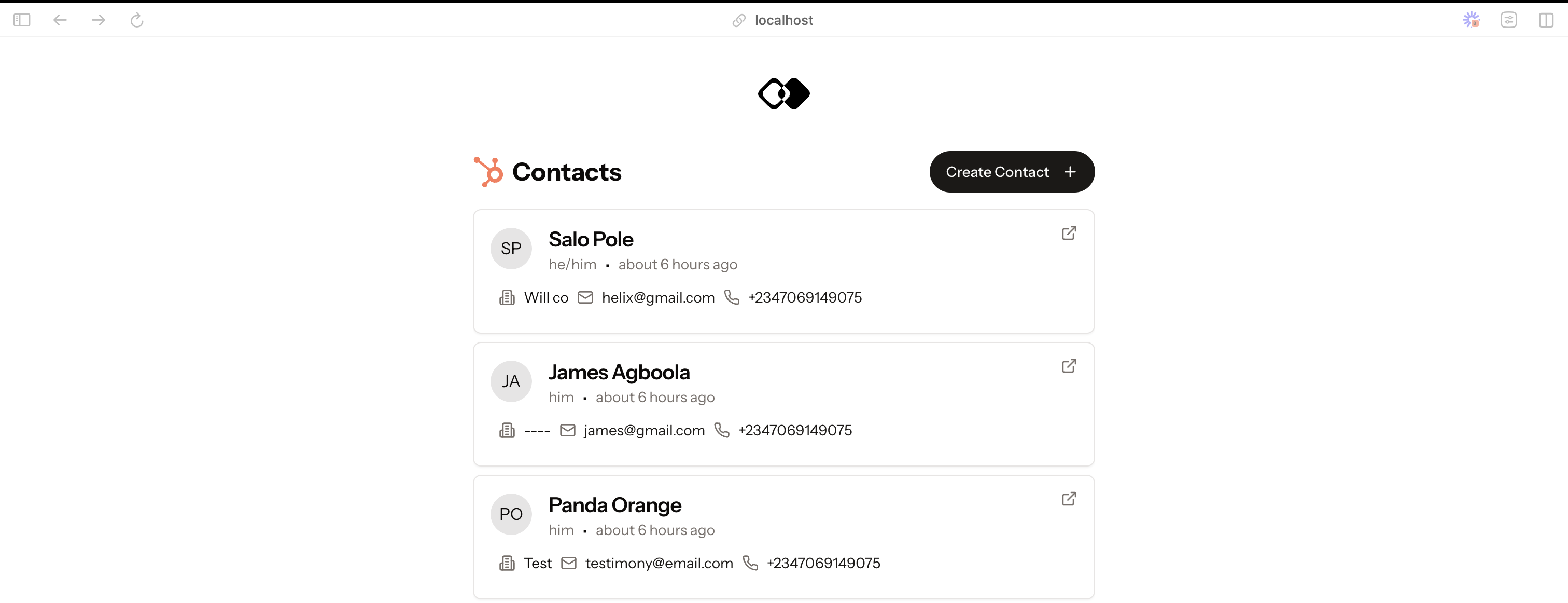
    This example demonstrates how to use Integration.app with Hubspot. To test the integration, you need a Hubspot account. If you don’t have one, you can create it here.

    Screenshot 2025-01-01 at 00 40 53

    Prerequisites

    Clerk (Authentication)

    We use clerk for authentication. You need to create an account in Clerk. Once you have an account, you need to create a new application. You will need your public and secret key (NEXT_PUBLIC_CLERK_PUBLISHABLE_KEY and CLERK_SECRET_KEY) to authenticate get authentication working in the app.

    Integration app (Data Integration)

    Integration.app lets to integrate data into your app from different data sources. You can sign up for a free account here.

    Once your account is created you will need to setup add the Hubpot app and create two actions:

    • list-contacts (to list all the contacts)
    • create-contact (to create a new contact)

    If you actions have different names, you’ll need to update your .env.local file with the correct action names.

    You can also import this template into your workspace: Import template — This doesn’t actually work yet, it’s only a proposal.

    Installation

    1. Clone the repo

      git clone
    2. Install NPM packages

      npm install
    3. Enter your Integration.app and Clerk keys in .env.local. Copy the .env.local.example file and rename it to .env.local to get started:

    cp .env.local.example .env.local
    1. Run the app
      npm run dev
    2. Open http://localhost:3000 to view it in the browser.

    Suggested Improvements to integration.app

    • Enhance TypeScript support by developing a CLI tool that generates types based on the actions schema.
    • Provide extensive usage examples to help users understand various use cases.
    • Establish a Discord community to offer support and foster engagement with customers.
    • Improve the existing documentation to make it more comprehensive.
    • Ensure the authenticated workspace ID is passed back to the URI as current Hubspot URI is missing the workspace ID.
    • Fix the UI issue that prevents creating an output schema from being created, as the interface is currently unstable.
    • Implement a feature to clone actions, which would be beneficial for testing and experimenting with different examples.

    Todo

    • Use integration.app pagination in the UI
    • Make UI responsive

    Visit original content creator repository

  • SmartI18N

    SmartI18N

    SmartI18N will die Internationalisierung von Webprojekten vereinfachen und die Umsetzung beschleunigen. Es gibt einen Online Editor mit welchem Texte in Echtzeit angepasst und verändert werden können. Für die Einbindung stehen verschiedene SDK’s zur Verfügung die das Arbeiten mit SmartI18N vereinfachen.

    Mehr Informationen zu SmartI18N findest du unter www.smarti18n.com

    🚨 This project is now officially retired! 🧓🪦

    Development has ended, support has vanished, and the code is now living its best life in a quiet repo somewhere, sipping digital margaritas. 🍹

    Feel free to fork it, remix it, or just stare at it nostalgically — but don’t expect it to do any new tricks. It’s not dead… it’s just resting. 😴

    First Steps

    Für den Start empfehlen wir dir, den SmartI18N Server von www.smarti18n.com zu nutzen. Später kannst du mit Hilfe eines Docker Image SmartI18N selbst hosten. Dazu aber später mehr.

    Erstell dir mit Hilfe des Editors einen Account und erstell anschließend ein Projekt. Mithilfe des Projekt Keys und Secrets kannst du dann SmartI18N in dein Projekt einbinden.

    SDK’s

    Derzeit gibt es für Spring Message Sources und AngularJS Schnittstellen. In Zukunft wollen wir weiter Schittstellen ergänzen.

    Spring Framework SDK

    Example folgt

    AngularJS SDK

    Example folgt

    Docker Image

    SmartI18N kann selbst betrieben werden. Mehr Informationen findest du im Docker HUB.

    MongoDB (optional)

    Für den Betrieb von SmartI18N benötigst du eine MongoDB. Du kannst eine extern gehostete Instance verwenden oder einen Docker Container.

    docker run -d --name smarti18n-mongo mongo
    

    smarti18n-messages

    docker run -d --name smarti18n-messages --link smarti18n-mongo:mongo -p 30001:8080 -e MONGODB_URL=mongodb://mongo/smarti18n-messages  smarti18n/messages
    

    smarti18n-editor

    docker run -d --name smarti18n-editor -p 30002:8080 -e "SMARTI18N_MESSAGES_HOST=http://localhost:30001" smarti18n/editor
    

    First Login

    Jetzt kannst du das initiale Admin Passwort aus dem smarti18n-messages Container suchen.

    docker logs smarti18n-messages
    

    #######################################################################
    Initializing Application
    Opened connection \[connectionId{localValue:2, serverValue:2}\] to mongo:27017
    Create Default User \[default@smarti18n.com\] with Password \[PASSWORD\]
    create default project \[default\] with secret \[SECRET\]
    Initializing Application finished
    #######################################################################
    

    Mit dem Passwort und der E-Mail default@smarti18n.com kannst du dich im Editor unter http://localhost:30002 einloggen.

    License

    SmartI18n is released under version 2.0 of the Apache License.

    Visit original content creator repository

  • starter-architect

    Please Don’t Use

    Please use npm init remix instead of this starter repo to create a new Remix app.
    This repository was archived on April 29, 2021.

    Remix Starter for Architect (AWS CloudFormation)

    Welcome to Remix!

    This is a starter repo for using Remix with Architect (wrapper around AWS CloudFormation).

    Development

    When developing your app, you’ll need two terminal tabs, one to run Architect’s sandbox, and the other to run the Remix development server. In production, however, the Remix development server won’t be used because your assets will be built and shipped with the server.

    First, .npmrc.example to .npmrc and insert the license key you get from logging in to your dashboard at remix.run.

    Note: if this is a public repo, you’ll probably want to move the line with
    your key into ~/.npmrc to keep it private.

    Next, install all dependencies using npm:

    npm install

    Your @remix-run/* dependencies will come from the Remix package registry.

    Remix Development Server

    Once everything is installed, start the Remix asset server with the following command:

    npm run dev

    The dev server automatically rebuilds as your source files change.

    Architect Sandbox

    Architect recommends installing their CLI and the AWS sdk globally:

    $ npm i -g @architect/architect aws-sdk

    Now start the sandbox:

    $ arc sandbox

    You should now be able to visit http://localhost:3333.

    Deploying

    First, you’ll need to have the AWS CLI installed, here are the instructions. Then follow the Architect setup instructions: https://arc.codes/docs/en/guides/get-started/detailed-aws-setup.

    Now you’re ready to deploy. From the Remix http handler directory, build the app for production:

    $ npm run build

    And then from the root of the project, deploy with arc.

    $ arc deploy

    That’s it!

    Documentation

    Detailed documentation for Remix is available at remix.run.

    Visit original content creator repository

  • SalahKart

    Internship Experience

    Software Engineer Intern

    SalahKart- A Product of Jaspy Technologies Pvt. Ltd.

    CIN: U78100UP2024PTC199951

    Duration: 2 months

    Roles and Responsibilities:

    • NLP and Web Scraping:
      • Employed BeautifulSoup and Selenium WebDriver to scrape data from LinkedIn profiles.
      • Conducted resume parsing, extracting skills from resumes and job descriptions to calculate the matching percentage.
    • Skill Matching and Semantic Textual Similarity (STS):
      • Implemented three primary methods for skill matching:
        • SentenceTransformer Model
        • CrossEncoder Model
        • Dictionary Method using a predefined skill list from a CSV file.
      • Combined the methods using a normalized formula to compute the final skill matching percentage.
      • Conducted Semantic Textual Similarity (STS) for accurate skill assessment.
    • Natural Language Processing (NLP):
      • Utilized SpaCy and NLTK for advanced NLP tasks.
      • Developed a Named Entity Recognition (NER) pipeline using Transformers by Hugging Face.
      • Extracted nouns and verbs from resumes on a section-wise basis for enhanced resume analysis.
    • Development and Testing:
      • Developed and tested code in Python using NumPy, Pandas, and regular expressions.
      • Used VS Code and Google Colab for coding and collaboration.
      • Designed and documented workflow using Lucid Chart for flow diagrams and brainstorming sessions.
      • Created a backend database with a Level 2 ER Diagram using the Eraser.io.
      • Performed unit and integration testing manually to ensure code quality and reliability.

    Technical Skills:

    • Programming Languages: Python
    • Libraries & Frameworks: SpaCy, NLTK, NumPy, Pandas, BeautifulSoup, Selenium WebDriver
    • Machine Learning Models: SentenceTransformer, CrossEncoder
    • Tools: VS Code, Google Colab, Lucid Chart, Eraser.io
    • Database Design: Level 2 ER Diagrams
    • Testing: Manual Unit and Integration Testing
    • Additional Skills: Transformers, NLP, Web Scraping, Semantic Textual Similarity (STS), Named Entity Recognition (NER)

    Alert

    Provided Codes don’t represent my complete work during internship and are Incomplete and partial. It’s only for preview and educational purposes. These are not the Final production grade codes either. Kindly use it with caution ⚠

    Visit original content creator repository

  • Waymaker

    background2 jpg

    Sobre o Projeto

    O Waymaker é um projeto pessoal sobre aplicativos direcionado aos usuários de transporte público(usuários frequentes ou esporádicos). Tal iniciativa teve na minha experiência como usuário desse mesmo sistema o ponto de partida para o projeto. A ideação do projeto começou a partir do principal questionamento, “Como uma pessoa que desconhece um determinado local é capaz de se locomover por ele?”. Assim foi feita uma breve pesquisa com alguns usuários utilizando-se de técnicas de UX como, entrevistas, questionário, Análise de Benchmarking e testes de usabilidade para, assim, projetar uma arquitetura visual mais eficiente na transmissão de informação aos usuários e que atende de fato as suas demandas.

    Um pouco sobre a identidade visual do aplicativo => Link

    Protótipo => Link

    If you would like to check the UX process go to this link –> Breve 😀

    This is a personal project about mobile aplications for public transport. I had my own experience, as a user, to kick start the project. It all started from the main questioning,”How can a person who is unaware of a certain location capable of getting around it?”. So a brief research with users took place based on UX Designig process to design a more efficient visual architecture to communicate to users all information that actually meets their demands.

    Processo

    1. Passo – Pesquisa exploratória
    2. Através de entrevistas, questionário e um mapa de empatia foi possível levantar algumas informações sobre como os usuários se sentem frente às dificuldades que enfrentam na utilização do sistema de transporte público. Sentimentos de insegurança, frustração e ansiedade foram expostos pela maioria dos entrevistados. Dentre as principais dificuldades relatadas estavam a dificuldade de acesso a informações sobre o sistema e orientações sobre trajetos. Na maioria das vezes os usuários recorrem a outros usuários para ter tais informações.
    3. Passo – Análise de Benchmark
    4. Foram selecionados para a análise os aplicativos ofertados pelas empresas de transporte público da cidade do Rio de Janeiro, Manaus e Vitória. De modo geral os aplicativos não apresentavam um fluxo de navegação muito claro bem como uma hierarquia visual bem prejudicada. Mesmo assim esses aplicativos apresentavam alguns recursos de relevância para os usuários. O aplicativo referencial para este projeto passou a ser o Moovit, pois apresentava todos os recursos apresentados pelos aplicativos anteriores e mais alguns, como, monitoramento de trajeto. O único recurso ausente é o tempo real de previsão dos veículos.
    5. Passo – Personas e Definição de requisitos
    6. A partir da elaboração de perfis de Personas(5 personas) as quais comportassem as principais características dos usuários de transporte público, além disso se deu a construção de alguns cenários de caso de uso, assim, a partir da análise desses passos foi possível levantar a relação de objetivos que o usuário tem ao utilizar o sistema.

    Interface de usuário

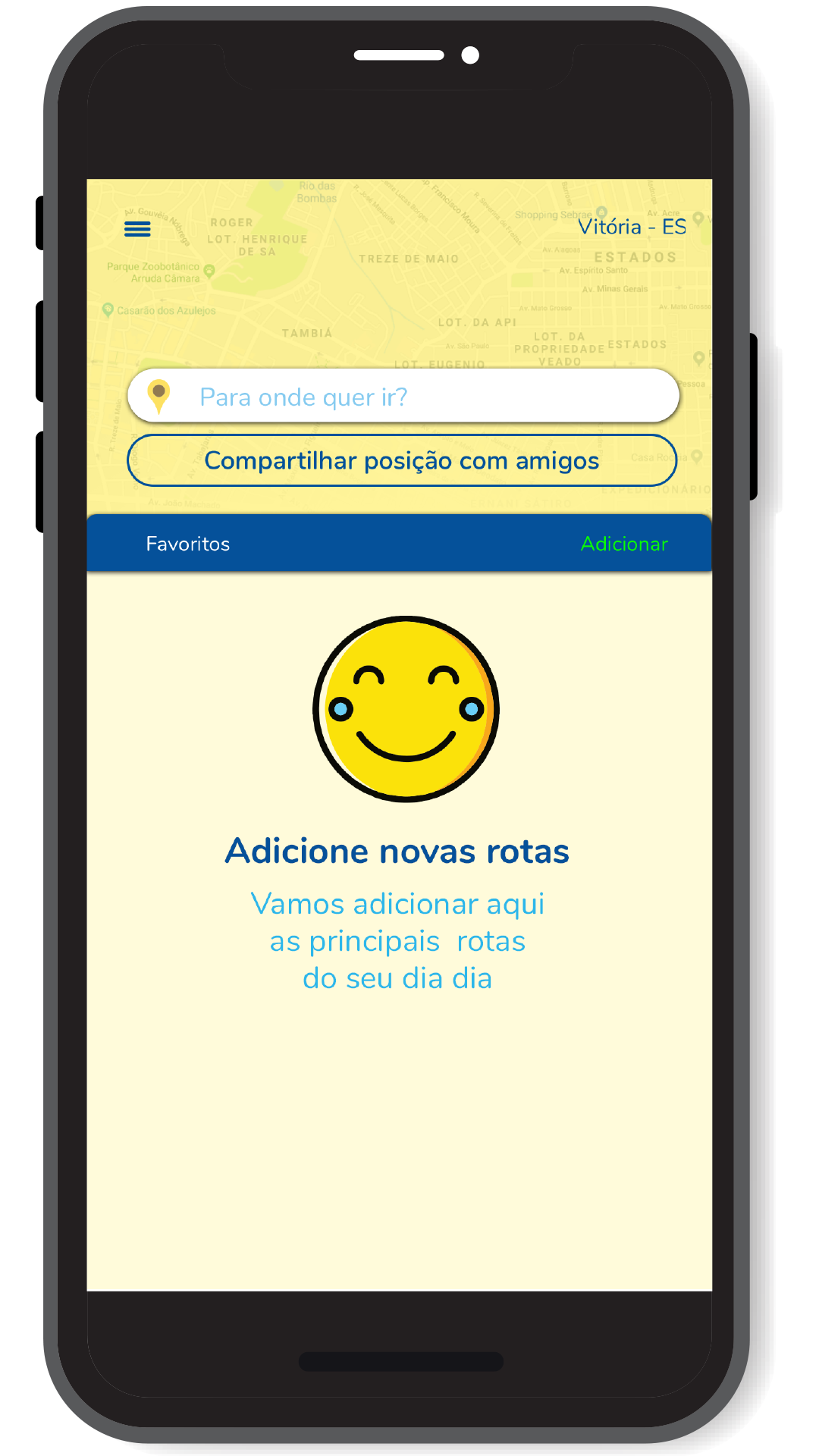
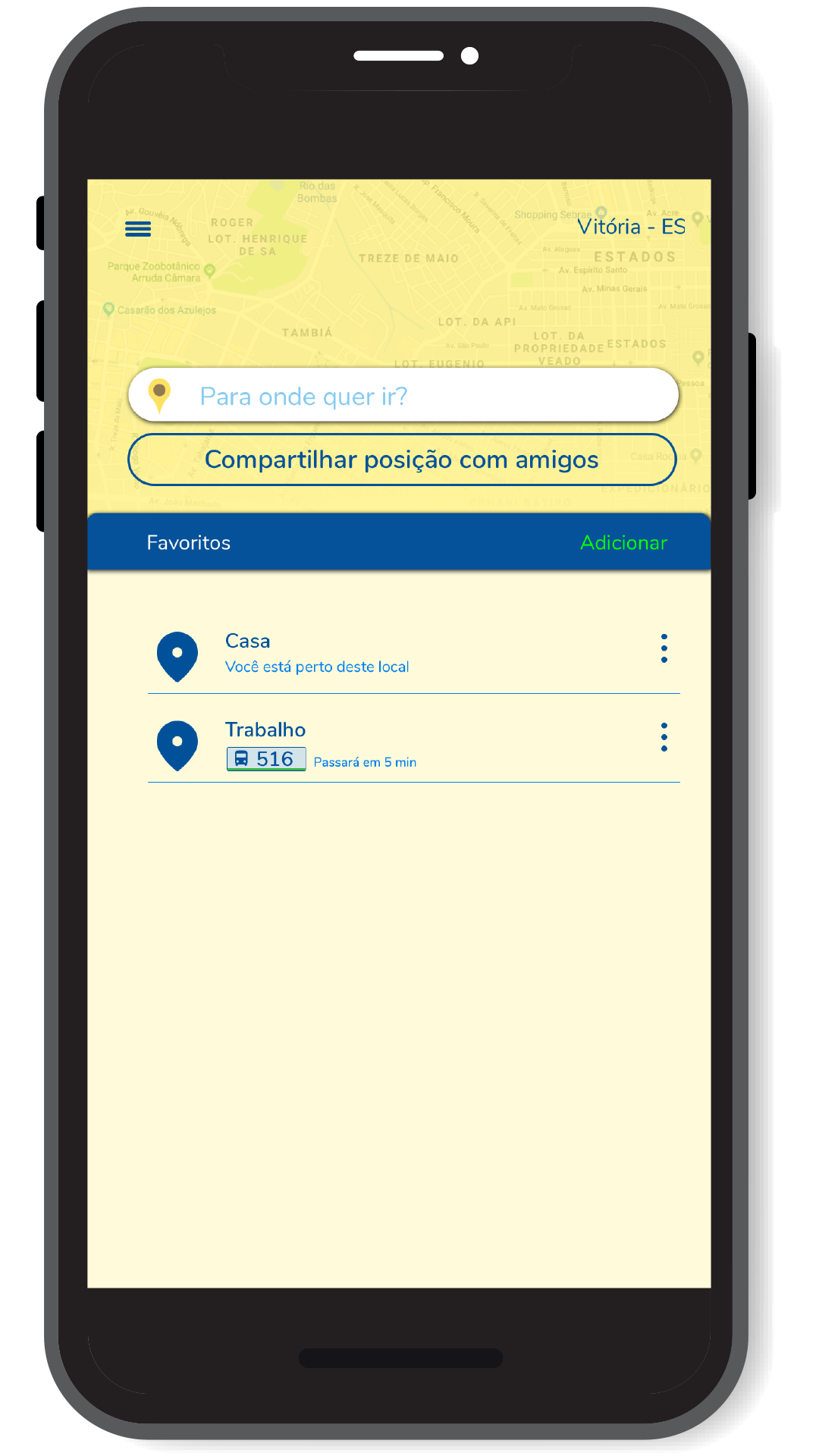
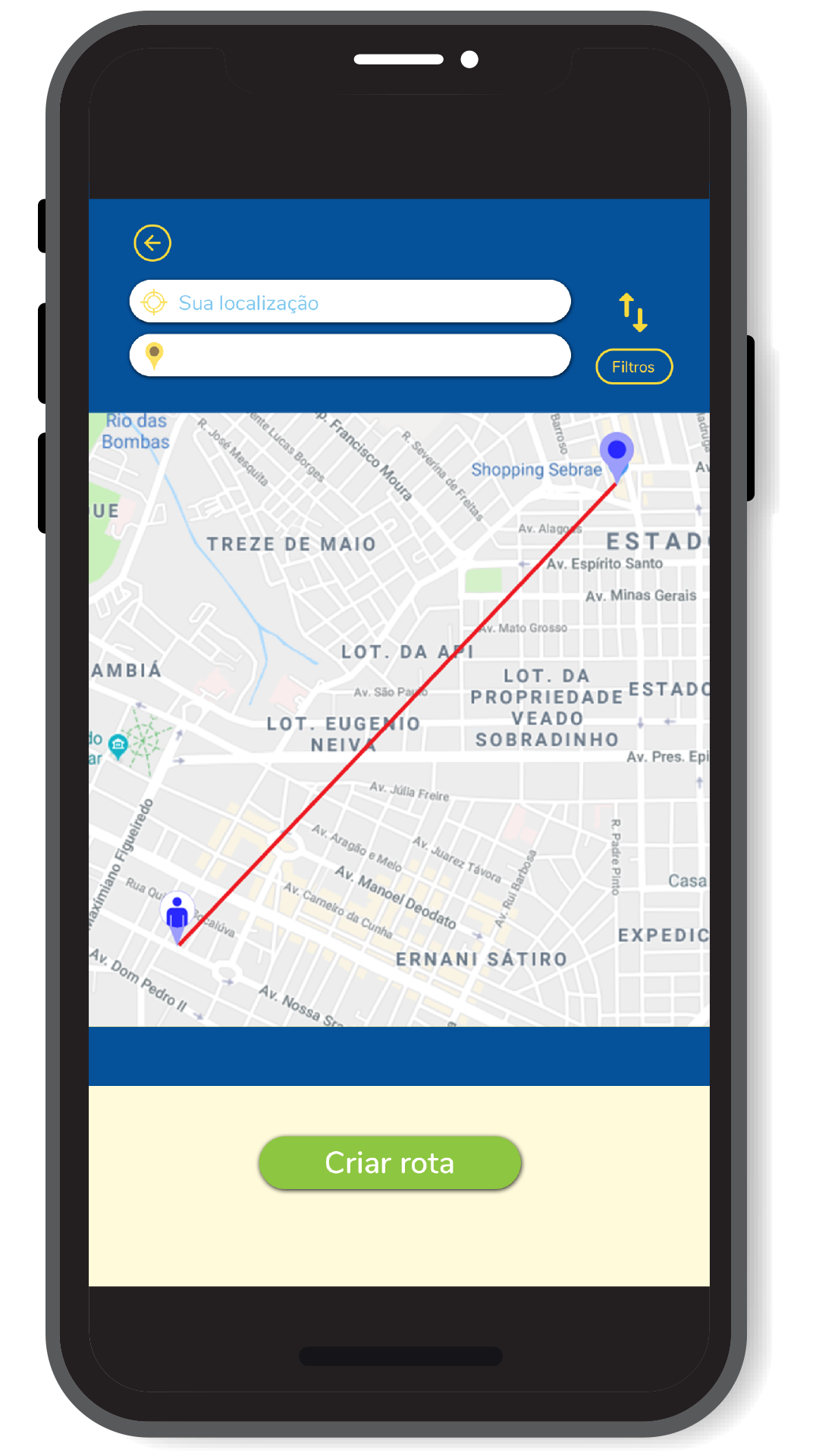
    A partir da elaboração da relação de objetivos de usuários foi feito o fluxo de telas em baixa fidelidade, a construção de um protótipo inicial o qual foi submetido a alguns testes com usuário e a partir das informações coletadas foram implementadas novas alterações e novos testes subsequentes. Esse é o resultado obtido até o momento.

    Principais Contribuições

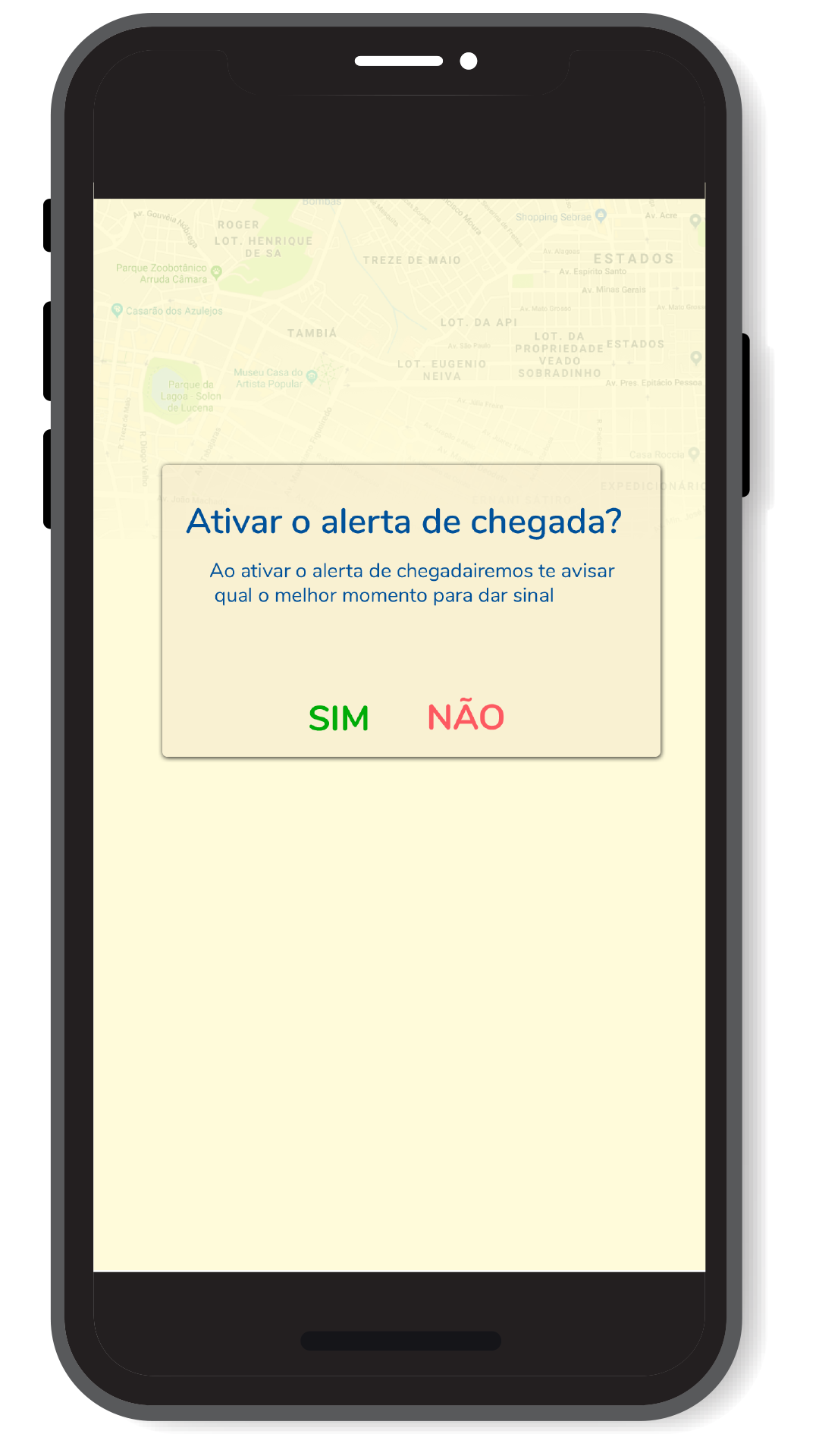
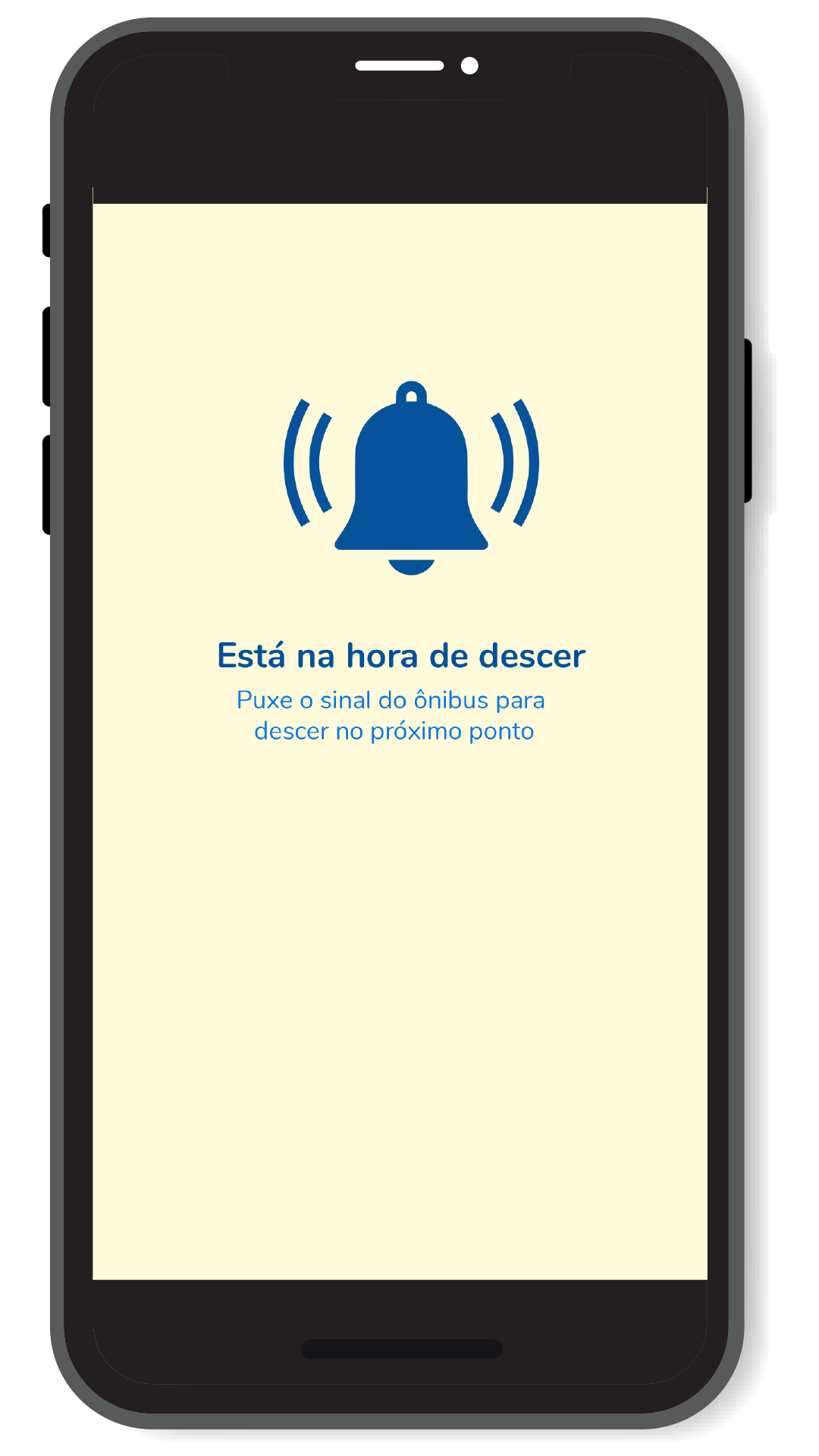
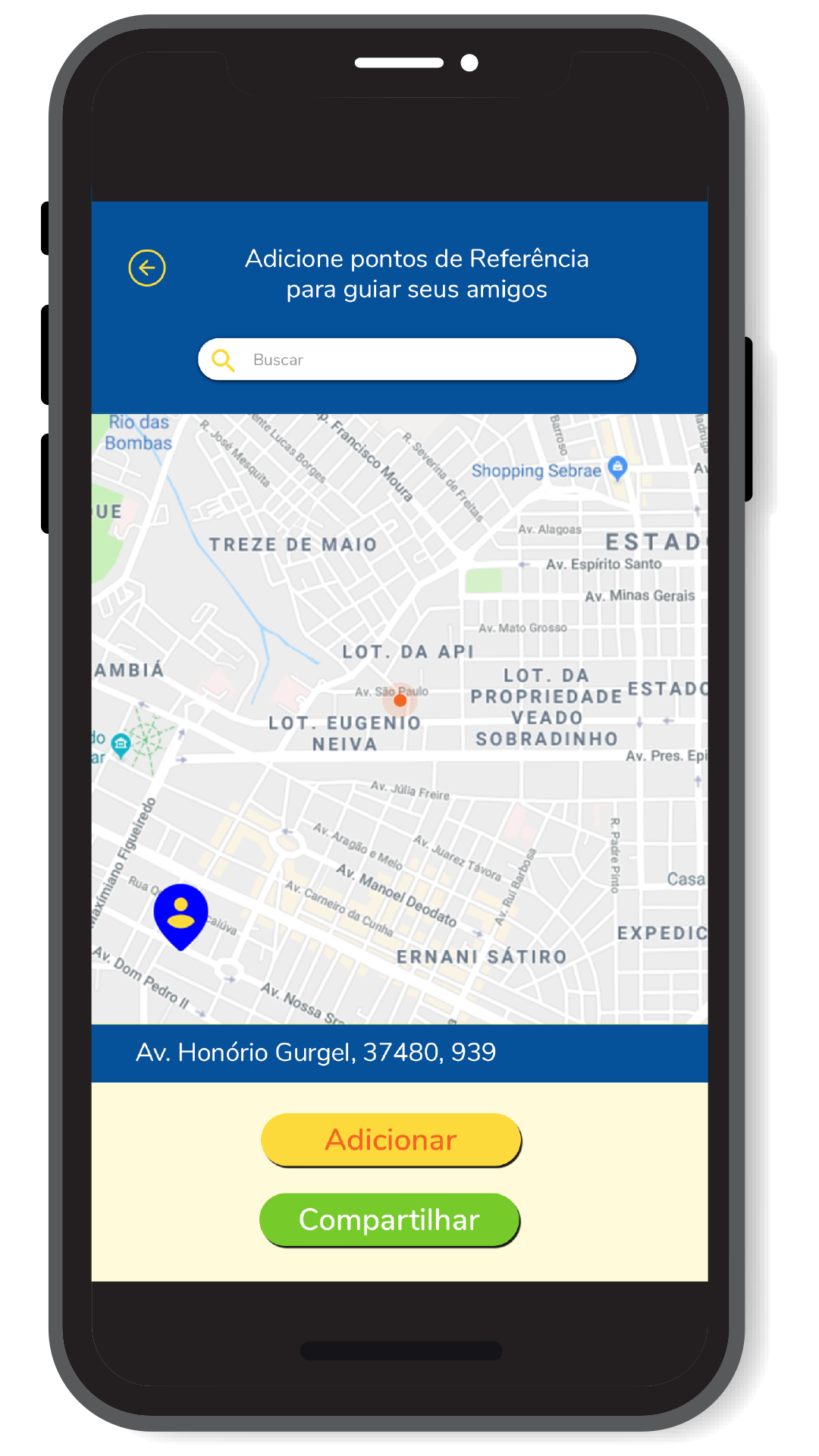
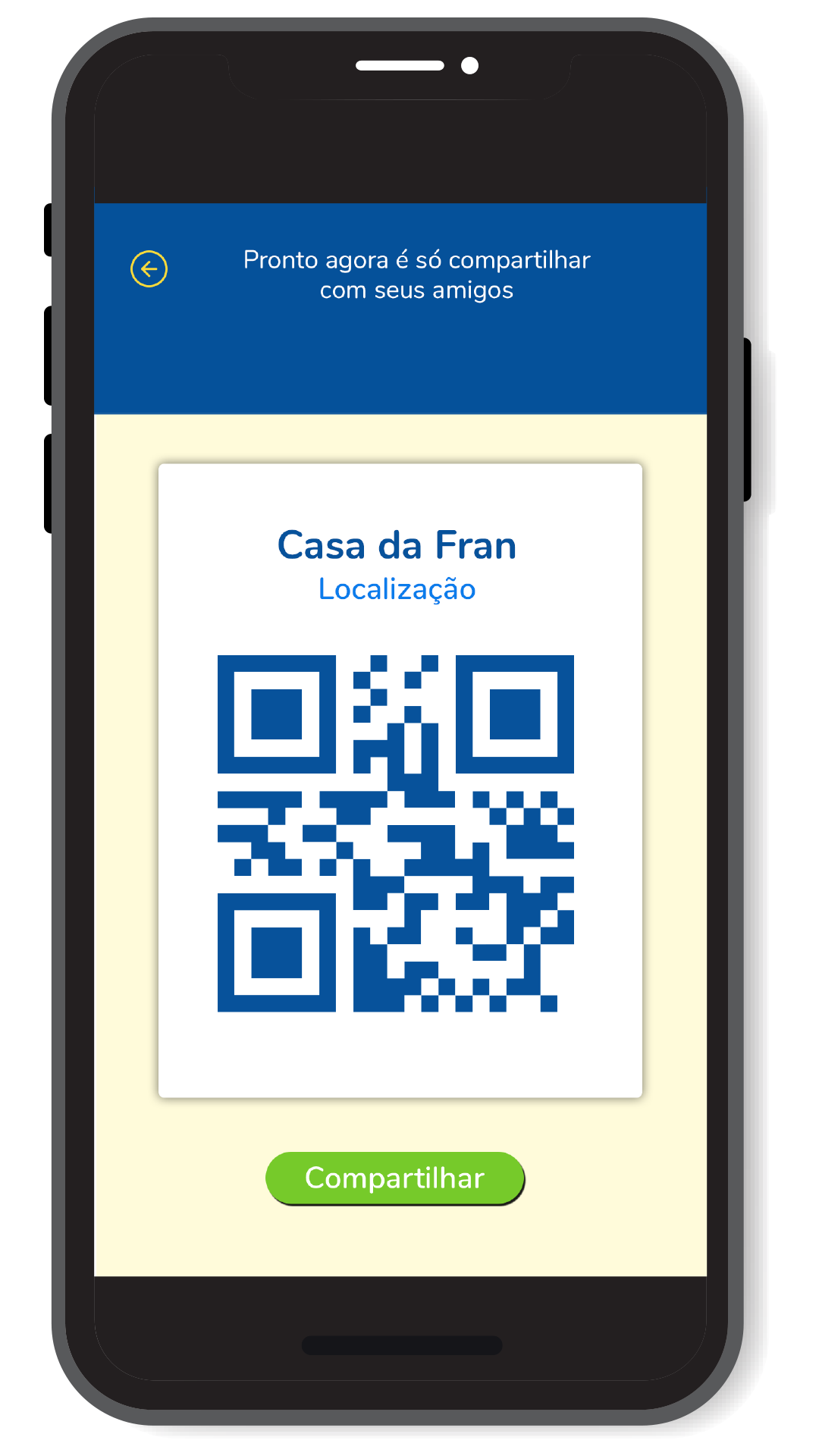
    Uma das principais contribuições foi o redesign da informação das telas de rotas disponíveis e direções, onde por meio de uma estrutura formal de um diagrama de processo. Dessa forma a numeração reforça a ideia de escolhas disponíveis(quantidade) e a sucessão de estágios de um processo(direção). A aplicação de cores como uma camada de informação reforçando os diferentes estágios da viagem. Todas essas estratégias têm como objetivo tornar mais clara e intuitiva a navegação do usuário pelas informações. A possibilidade de compartilhar localização e construir rotas personalizadas ajuda a reduzir a chance dos usuários se perderem ao desenvolver novos trajetos, pois se trata de uma fonte de informação confiável.

    Implementação

    Visit original content creator repository