

Dokhu’s Bot it made with the purpose to help us to make list of things, like movies, series, etc.
Who can work locally in ours machines, so it’s not need to execute it in a dedicated server, but it will work also on a server.
Create a local text archive where the info is save it.
yeah, the bot is working right now in Keroku server, so is enable to invite with this link
- Save lists in text archives.
- Can covert data into CSV archive for portability in LetterBox.
- Show an image and description of the movie.
- Be able to use a Google Doc as text archive to save info.
- Find folders in Spanish OS.
- Let able to sincronice same list from different local computers.
Trello board: https://trello.com/b/2vqX0B5I/dokhus-discord-bot
The next is required if you want to run it by yourself, otherwise wouldn’t be needed, because you can invite the bot to your server.
-
Download the project and make it sure all modules and library’s are charged by Maven.
-
Go to GitHub Developers Portal and create a bot.
-
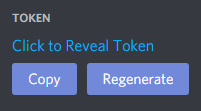
In Settings > Bot you will find the Token. Copy it.
-
Go to .Env archive, where you are gonna find the system environment variable DISCORD_BOT_TOKEN where is save it the token. You have to paste the token from the bot before copied.
-
Now you can invite your bot to your server, and run it in your machine.

in progress.
- Dotenv 2.2.0
- JUnit 5.7.1
- Java 1.8
- JavaCord 3.3.0
- Maven 4
- Mockito 3.9.0
Leave a Reply